
STORAZEBIZ · BY JAIN INFOWAYS · SP ROAD, BENGALURU
Synology NAS, hard drives and monitors — chosen with expert help.
Genuine Synology, Seagate, Western Digital, Dell, LG and LaCie hardware with manufacturer warranty. GST invoice on every order, compatibility advice before you buy, and real people on WhatsApp.
- Genuine productsManufacturer warranty on every item
- GST invoiceFor every order, home or business
- Expert adviceDrive compatibility and RAID planning
- Visit our storeSP Road, Bengaluru · Mon–Sat
What are you building?
Open a path below to see what matters before you buy.
Protect my photos & filesPersonal cloud and home backup
Start with your current files, allow room to grow and decide which devices need backup.
NAS→Compatible drives→Separate backup
Check drive inclusion, usable capacity and the exact NAS drive compatibility list.
Explore the guide →Browse products →Organise my business storageTeam files and workstation backups
Plan for users, data growth, backup schedules and network speed before choosing the enclosure.
NAS→Compatible drives→Separate backup
Check access permissions, recovery needs and expansion limits for the selected model.
Explore the guide →Browse products →Build a creative workflowVideo projects and shared media
Choose storage around project size, concurrent editors and your network. Consider a separate archive and backup.
NAS→Compatible drives→Separate backup
Check ports, sustained workload requirements and model-specific compatibility.
Explore the guide →Browse products →Upgrade my deskProfessional displays and connectivity
Choose your screen size and resolution, then check the connections your laptop or workstation actually supports.
Computer→Verified connection→Display
USB-C shape alone does not confirm video support or laptop charging. Check both devices.
Explore the guide →Browse products →RAID helps with drive failure. It is not a backup.
Open sizing & RAID guide →Keep a separate copy of important data. Usable capacity is lower than the total capacity printed on your drives.
Three checks. A more confident purchase.
01 / Choose the workload
Home backups, shared files, video projects or a productive desk? Start with the job your hardware needs to do.
02 / Verify the fit
Check the exact model, drive compatibility, package contents and required connections.
03 / Confirm the order
Review the listed price and delivery terms. For enquiry-only items, confirm price and availability with sales.
STORAZEBIZ / EXPERIENCE LAB
Shop by brand
Genuine hardware from the brands we specialise in. Pick a brand, or explore our most-asked-about products below.
Product detailsCheck the exact model, package contents, and compatibility before purchase.
Setup guidanceSee how your computer, storage, display, and backup fit together before choosing your hardware.
Need a second opinion?Talk through your workload, capacity, and connections with Jain Infoways.
Brand
Your brands. One destination.
Explore storage and display specialists from our catalog.






STORAZEBIZ / EXPERIENCE LAB
View all hardwareThe hardware showroom
A closer look at the products behind your next setup. Compare, explore, or ask us for a quote.
 Synology
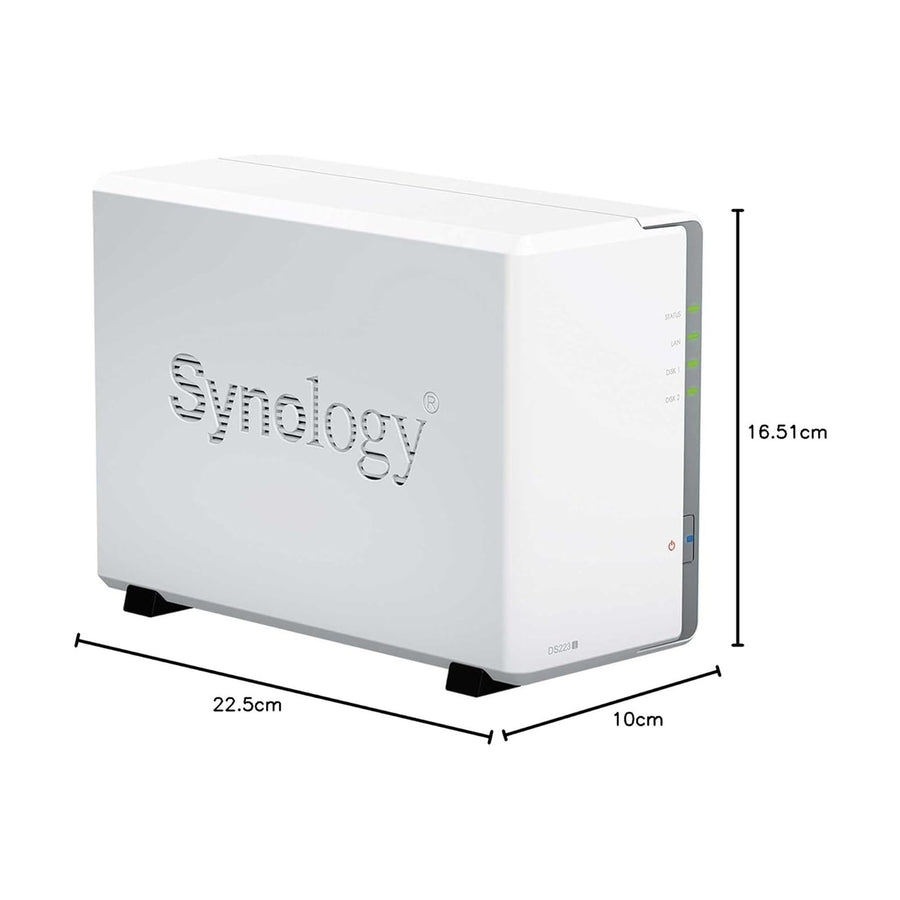
Synology DiskStation DS Series NAS (2, 4, 5, 8 & 12-Bay) with Synology HDD Options
- DS425+
- 4-bay DiskStation
- NAS enclosure
- Brand
- Synology
- SKU
- DS223J
- Options
- 78
From ₹25,911
Tax included. Shipping calculated at checkout.
Request a WhatsApp quote
 Western Digital
WD Red Pro 3.5" NAS Hard Drive – 10TB (WD101KFBX)
- 10TB capacity
- 3.5-inch SATA
- 7200 RPM
- WD Red Pro NAS drive
- Brand
- Western Digital
- SKU
- WD101KFBX
₹53,191
Tax included. Shipping calculated at checkout.
Request a WhatsApp quote
 LaCie
LaCie
LaCie 8big Pro5 64TB Thunderbolt 5 RAID Storage (STNC64000400)
- STNC64000400
- 64TB raw capacity
- Thunderbolt 5
- RAID array
- Brand
- LaCie
- SKU
- STNC64000400
₹891,991
Tax included. Shipping calculated at checkout.
Request a WhatsApp quote
 Dell
Dell
Dell UltraSharp 32 4K Monitor (U3225QE Thunderbolt Hub / U3226Q QD-OLED)
- U3225QE
- 32-inch class
- 4K resolution
- Thunderbolt hub
- Brand
- Dell
- SKU
- U3225QE
- Options
- 2
From ₹77,311
Tax included. Shipping calculated at checkout.
Request a WhatsApp quote
 Dell
Dell
Dell UltraSharp 27″ 4K Thunderbolt Hub Monitor (U2725QE)
- U2725QE
- 27-inch 4K
- 120Hz IPS
- Thunderbolt hub
- Brand
- Dell
- SKU
- U2725QE
₹63,991
Tax included. Shipping calculated at checkout.
Request a WhatsApp quote
 Dell
Dell
Dell UltraSharp Curved Ultrawide Monitor (34" U3425WE / 38" U3824DW / 40" U4025QW / 49" U4924DW / 52" U5226KW)
- Brand
- Dell
- SKU
- U4025QW
- Options
- 5
From ₹159,900
Tax included. Shipping calculated at checkout.
Request a WhatsApp quote
Setup guidance
Build the whole picture.
See how your computer, storage, display, and backup fit together before choosing your hardware.
01Your workstation
02 · Network connectionShared NAS storage
03Independent backup
Example file-sharing setup. Network capability and compatibility depend on the products you select.
NAS + HDD SOLUTIONS
A complete storage setup—not just a box.
See the enclosure, drive quantity, capacity and indicative hardware total together. Ask our team to verify compatibility and configure a solution for your requirement.
HOME ESSENTIAL
2 drives
Home backup
Photos, documents and computer backups for a household.

 ×2
×2
- Raw capacity
- 8TB
- Usable with redundancy
- Approx. 4TB
- Suggested protection
- 1-drive redundancy
Estimated hardware total
₹81,733
TEAM FAVOURITE
4 drives
Small-team storage
Shared files, workstation backup and everyday collaboration.
 ×4
×4
- Raw capacity
- 16TB
- Usable with redundancy
- Approx. 12TB
- Suggested protection
- 1-drive redundancy
Estimated hardware total
₹137,555
GROWTH READY
4 drives
Growing business
Larger datasets, team access and capacity for future expansion.

 ×4
×4
- Raw capacity
- 64TB
- Usable with redundancy
- Approx. 48TB
- Suggested protection
- 1-drive redundancy
Estimated hardware total
₹487,587
Compatibility check included
Usable capacity is an estimate based on the stated drive count and single-drive redundancy. RAID improves availability but is not a backup. Confirm the exact NAS model, drive model, firmware and manufacturer compatibility list before ordering. Final configuration, taxes, delivery and service charges may vary.
STORAZEBIZ / EXPLORE YOUR SETUP
Start with your everyday challenge.
Find the right technology for the way you work. Start with a problem. See your solution.
Choose with clarity.
Understand the connections, avoid the common mistakes, and build a setup that fits.
Take a closer look
Explore storage for your setup
Review exact specifications, compatibility, and included hardware.

Synology
Synology DiskStation DS725+ 2-Bay NAS (Diskless)
₹83,991
View product →
Synology
Synology DiskStation DS1825+ 8-Bay NAS (Diskless)
₹185,991
View product →
Seagate
Seagate IronWolf NAS Hard Drive
From ₹0
View product →
Dell
Dell UltraSharp 32″ 6K Thunderbolt Monitor with 4K Webcam (U3224KB)
₹229,911
View product →
Dell
Dell Pro 27″ 4K USB-C Hub Monitor (P2725QE)
₹39,911
View product →
Dell
Dell UltraSharp 40″ 5K Curved Thunderbolt Hub Monitor (U4025QW)
₹157,999
View product →Clear answers before checkout
A little clarity.
A better purchase.
The questions that matter when choosing your next setup.
Does buying a NAS include the hard drives?
Only if the specific listing or bundle says so. A diskless NAS is the enclosure without storage drives. Check the package contents and each drive’s compatibility before purchase.
If I use RAID, do I still need a backup?
Yes. RAID can help keep a system available during certain drive failures, but it does not replace an independent backup. Deletion, theft, or damage can still affect your files. Keep a separate copy and test recovery. See Synology’s backup guidance.
Will every NAS drive work in every Synology?
Do not assume so. Verify the exact NAS model, drive model, firmware, and current manufacturer compatibility requirements. A brand name or matching capacity alone does not establish compatibility.
Why might file transfers feel slow?
The slowest part of the path can limit transfers: the computer, Wi-Fi or wired link, switch, NAS connection, drives, or workload. Check the whole path before buying a faster drive or network upgrade.
Why does my USB-C cable charge but show no picture?
The port or cable may not support video, or the wrong monitor port may be in use. Check the laptop’s video capability, use an appropriate cable, select the correct display input, and confirm the monitor upstream port. Read Dell’s USB-C guide.
Can one cable power my laptop and connect the monitor?
Some setups support this. The laptop must support video and compatible USB charging, the monitor must offer suitable power delivery, and the cable must support the required signals and power. Check wattage and model-specific requirements.
Should I buy an ultrawide or two monitors?
Compare desk width, stand depth, screen-sharing needs, window layouts, and your computer’s external-display limits. An ultrawide provides one continuous workspace; two monitors provide independently positioned screens.
Will 4K automatically make text easier to read?
Readability also depends on screen size, viewing distance, operating-system scaling, application support, and your preferences. Check the display at the scaling you intend to use rather than choosing by resolution alone.
IN THE SPOTLIGHT / SYNOLOGY
Explore the Synology NAS range
Desktop and rackmount storage, one model at a time. Compare product details or ask our team for a configured solution.
1 / 27
SYNOLOGY NAS


Synology
Synology DiskStation DS Series NAS (2, 4, 5, 8 & 12-Bay) with Synology HDD Options
- 4 bay
- Desktop NAS
- View the model page for ports, memory and drive compatibility.
SYNOLOGY NAS


Synology
Synology DiskStation DS124 1-Bay NAS (Diskless)
- 1 bay
- Desktop NAS
- View the model page for ports, memory and drive compatibility.
SYNOLOGY NAS


Synology
Synology DiskStation DS1525+ 5-Bay NAS (Diskless)
- 5 bay
- Desktop NAS
- View the model page for ports, memory and drive compatibility.
SYNOLOGY NAS


Synology
Synology DiskStation DS1823xs+ 8-Bay NAS (Diskless)
- 8 bay
- Desktop NAS
- View the model page for ports, memory and drive compatibility.
SYNOLOGY NAS


Synology
Synology DiskStation DS1825+ 8-Bay NAS (Diskless)
- 8 bay
- Desktop NAS
- View the model page for ports, memory and drive compatibility.
SYNOLOGY NAS


Synology
Synology DiskStation DS223j 2-Bay NAS (Diskless)
- 2 bay
- Desktop NAS
- View the model page for ports, memory and drive compatibility.
SYNOLOGY NAS


Synology
Synology DiskStation DS225+ 2-Bay NAS (Diskless)
- 2 bay
- Desktop NAS
- View the model page for ports, memory and drive compatibility.
SYNOLOGY NAS


Synology
Synology DiskStation DS2422+ 12-Bay NAS (Diskless)
- 12 bay
- Desktop NAS
- View the model page for ports, memory and drive compatibility.
SYNOLOGY NAS


Synology
Synology DiskStation DS3622xs+ 12-Bay Enterprise NAS (Diskless)
- 12 bay
- Desktop NAS
- View the model page for ports, memory and drive compatibility.
SYNOLOGY NAS


Synology
Synology DiskStation DS423 4-Bay NAS (Diskless)
- 4 bay
- Desktop NAS
- View the model page for ports, memory and drive compatibility.
SYNOLOGY NAS


Synology
Synology DiskStation DS725+ 2-Bay NAS (Diskless)
- 2 bay
- Desktop NAS
- View the model page for ports, memory and drive compatibility.
SYNOLOGY NAS


Synology
Synology DiskStation DS925+ 4-Bay NAS (Diskless)
- 4 bay
- Desktop NAS
- View the model page for ports, memory and drive compatibility.
SYNOLOGY NAS


Synology
Synology RackStation RS1221RP+ 8-Bay Rackmount NAS (Diskless)
- 8 bay
- Rackmount NAS
- View the model page for ports, memory and drive compatibility.
SYNOLOGY NAS


Synology
Synology RackStation RS1626xs+ 4-Bay 1U Rackmount NAS (Diskless) – Intel Xeon D-1726
- 4 bay
- Rackmount NAS
- View the model page for ports, memory and drive compatibility.
SYNOLOGY NAS


Synology
Synology RackStation RS2423RP+ 12-Bay Rackmount NAS (Diskless)
- 12 bay
- Rackmount NAS
- View the model page for ports, memory and drive compatibility.
SYNOLOGY NAS


Synology
Synology RackStation RS2423RP+ II 12-Bay Rackmount NAS (Diskless)
- 12 bay
- Rackmount NAS
- View the model page for ports, memory and drive compatibility.
SYNOLOGY NAS


Synology
Synology RackStation RS2825RP+ 16-Bay Rackmount NAS (Diskless)
- 16 bay
- Rackmount NAS
- View the model page for ports, memory and drive compatibility.
SYNOLOGY NAS


Synology
Synology RackStation RS3621RPxs 12-Bay Rackmount NAS (Diskless)
- 12 bay
- Rackmount NAS
- View the model page for ports, memory and drive compatibility.
SYNOLOGY NAS


Synology
Synology RackStation RS3621xs+ 12-Bay Rackmount NAS (Diskless)
- 12 bay
- Rackmount NAS
- View the model page for ports, memory and drive compatibility.
SYNOLOGY NAS


Synology
Synology RackStation RS3626xs 12-Bay 2U Enterprise NAS (Diskless)
- 12 bay
- Rackmount NAS
- View the model page for ports, memory and drive compatibility.
SYNOLOGY NAS


Synology
Synology RackStation RS4021xs+ 16-Bay Rackmount NAS (Diskless)
- 16 bay
- Rackmount NAS
- View the model page for ports, memory and drive compatibility.
SYNOLOGY NAS


Synology
Synology RackStation RS422+ 4-Bay Rackmount NAS (Diskless)
- 4 bay
- Rackmount NAS
- View the model page for ports, memory and drive compatibility.
SYNOLOGY NAS


Synology
Synology RackStation RS4826xs+ 12-Bay 2U Rackmount NAS (Diskless) – Intel Xeon D-1739
- 12 bay
- Rackmount NAS
- View the model page for ports, memory and drive compatibility.
SYNOLOGY NAS


Synology
Synology RackStation RS6426xs+ 16-Bay 3U Rackmount NAS (Diskless) – Intel Xeon D-1739
- 16 bay
- Rackmount NAS
- View the model page for ports, memory and drive compatibility.
SYNOLOGY NAS


Synology
Synology RackStation RS822+ 4-Bay Rackmount NAS (Diskless)
- 4 bay
- Rackmount NAS
- View the model page for ports, memory and drive compatibility.
SYNOLOGY NAS


Synology
Synology RackStation RS822RP+ 4-Bay Rackmount NAS (Diskless)
- 4 bay
- Rackmount NAS
- View the model page for ports, memory and drive compatibility.
SYNOLOGY NAS


Synology
Synology SA3200D 12-Bay Dual-Controller 2U Rackmount NAS (Diskless)
- 12 bay
- Rackmount NAS
- View the model page for ports, memory and drive compatibility.
NEW & NOTEWORTHY
Fresh technology. Ready to explore.
Recently added products selected for storage, business and modern workspaces.
1 / 5
NEW ARRIVAL


Dell
Dell Pro P 34 Ultrawide Monitor (P3426WEB / P3426WEV / P3425WE)
Key Features Anti-glare sRGB Eye Comfort Technology Low Blue Light Flicker-free Cable Lock Slot Security Lock BFR Free PVC Free Picture by Picture Picture in Picture Technical Specification...
View product
NEW ARRIVAL


Western Digital
WD Red Pro 3.5" NAS Hard Drive – 10TB (WD101KFBX)
WD Red Pro 10TB — 3.5" NAS Hard Drive (WD101KFBX) 10TB WD Red Pro internal NAS hard drive for compatible multi-bay systems. Before you buy Confirm model WD101KFBX...
View product
NEW ARRIVAL


Western Digital
WD Red Pro 3.5" NAS Hard Drive – 8TB (WD8005FFBX)
WD Red Pro 8TB — 3.5" NAS Hard Drive (WD8005FFBX) 8TB NAS-oriented internal hard drive for compatible multi-bay systems. Before you buy Confirm model WD8005FFBX (WD Red Pro...
View product
NEW ARRIVAL
Synology
Synology DiskStation DS Series NAS (2, 4, 5, 8 & 12-Bay) with Synology HDD Options
Synology DiskStation DS Series NAS Choose 2, 4, 5, 8 or 12-bay models. Diskless or with selected Synology HDD options. Genuine Synology · GST invoice · Pan-India shipping...
View product
NEW ARRIVAL
Synology
Synology DiskStation DS1825+ 8-Bay NAS (Diskless)
Synology DiskStation DS1825+ 8-Bay NAS (Diskless) 8-bay DiskStation for growing teams and larger media libraries. Drives sold separately. Before you buy This NAS is diskless — hard drives...
View productSTORAZEBIZ / BUSINESS & BULK ORDERS
Built for your business. Backed by people.
From one workstation to a growing team, get help choosing storage and displays that fit your work.
A better way to buy for your team.
Tell Jain Infoways what you need. Discuss quantities, configuration and delivery before you commit.
- GST invoicing available
- NAS, storage and display configuration guidance
- Share company and billing details with your enquiry
Talk it through. Choose with confidence.
Planning a visit in Bengaluru? Ask our team about an in-person consultation and available hardware demonstrations.
- Discuss NAS and drive compatibility
- Plan capacity, RAID and future growth
- Check local stock and pickup readiness